The 2nd and final major release of 2025 following WordPress 6.8 in April – WordPress 6.9 lands with upgrades designed to make the platform feel faster and more intuitive to work in. From improved template tools and block-level commenting to a suite of expanded APIs, the release strikes a careful balance between smoother everyday content creation and greater control for designers and developers.
Editing that supports every kind of creator
Recognising that not everyone approaches content creation in the same way, WordPress 6.9 delivers editor upgrades for different kinds of users.
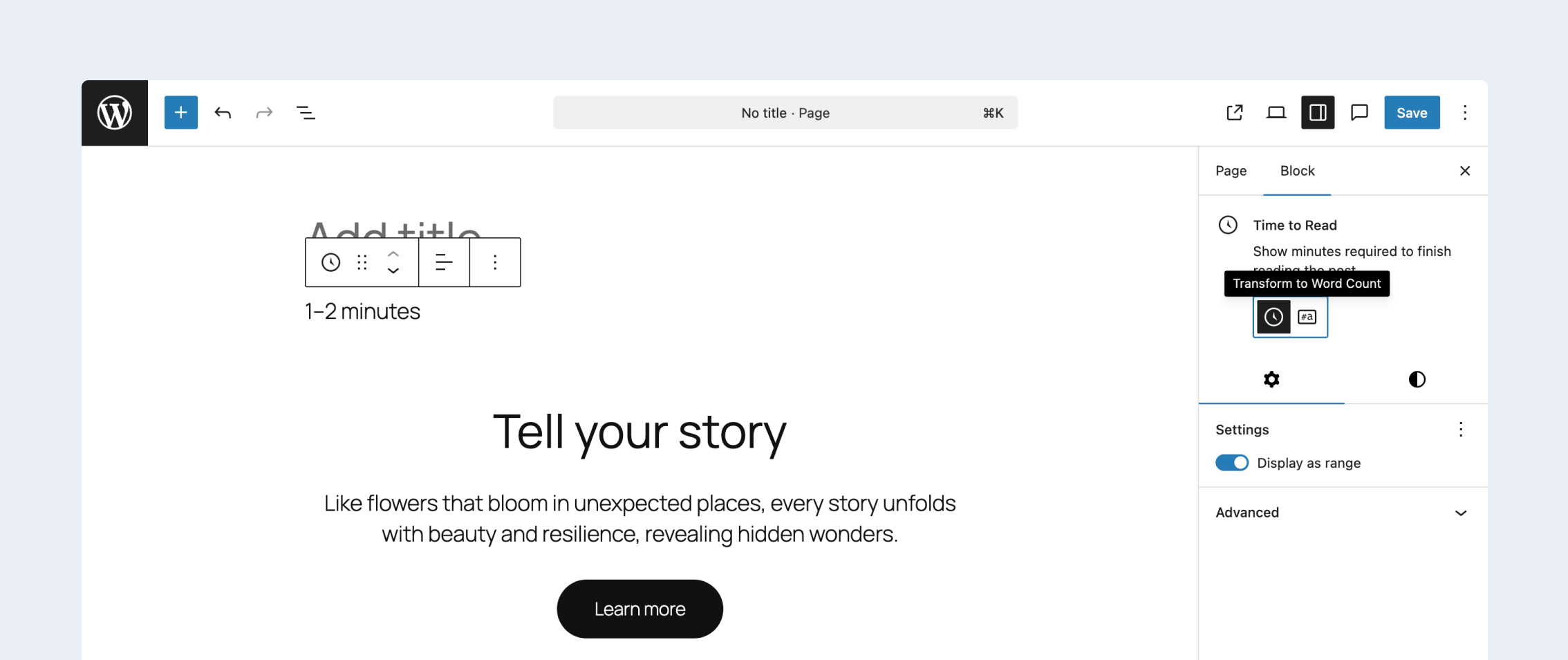
For writers, it introduces several new blocks that expand what’s possible straight out of the box, giving them more ways to structure content without relying on extra plugins. An Accordion block makes collapsible sections simple to build, while a Math block provides clean rendering for formulas and expressions. A Terms Query block offers a flexible way to display taxonomy terms, and a Time-to-Read block automatically calculates estimated reading time. Fit Text formatting also arrives for paragraphs and headings, dynamically resizing text to fit their container more naturally, and the release also adds new comment-related blocks, including Comment Link and Comment Count.
For designers and site builders, the Site Editor sees a major lift in template management. Custom templates now remain in place when switching themes, reducing the risk of losing carefully crafted layouts in the process. You can duplicate templates to experiment, deactivate them without deleting them, and save drafts before publishing, bringing template workflows much closer to the familiar experience of editing a post.
Better ways to work together
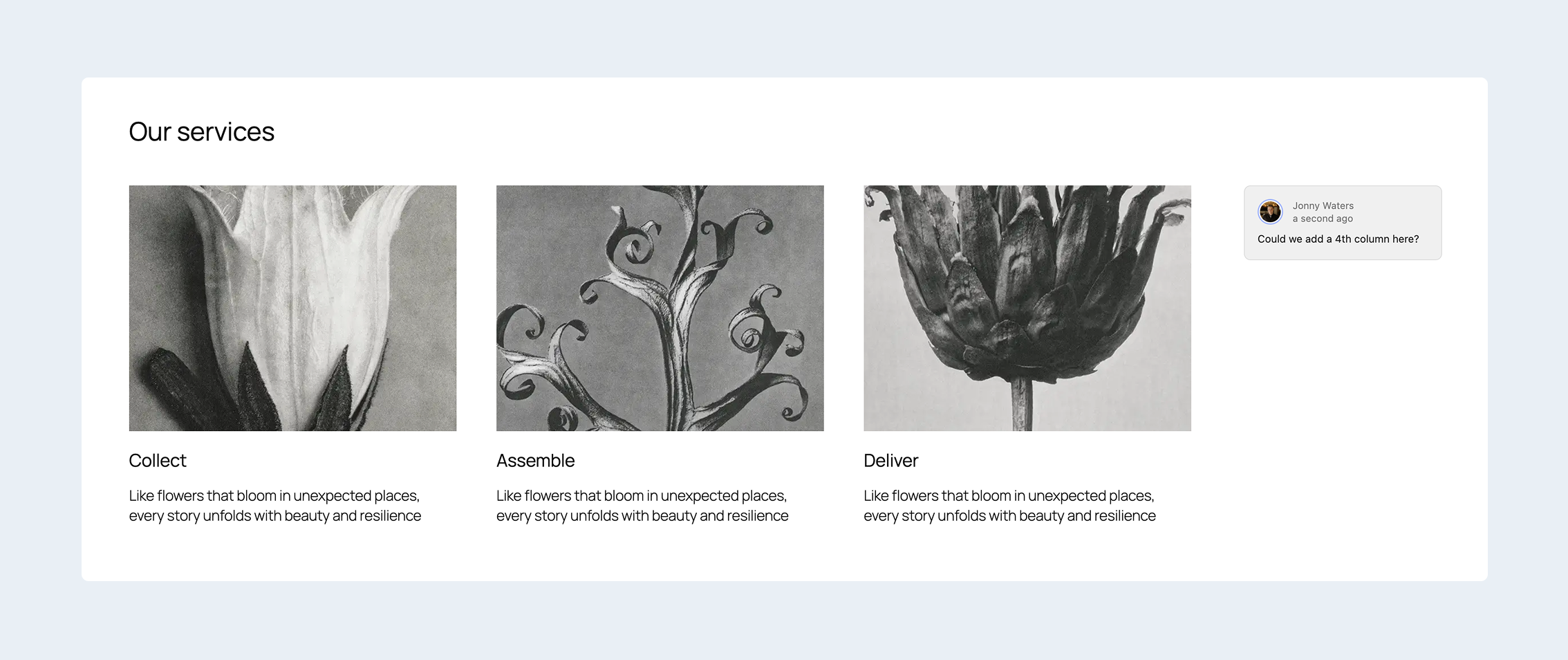
A welcome upgrade in WordPress 6.9 is Notes – a new feature that makes block-level commenting possible. Instead of switching between external tools, collaborators can leave feedback directly on individual elements, which means specific blocks can be discussed in context to speed up the review process.
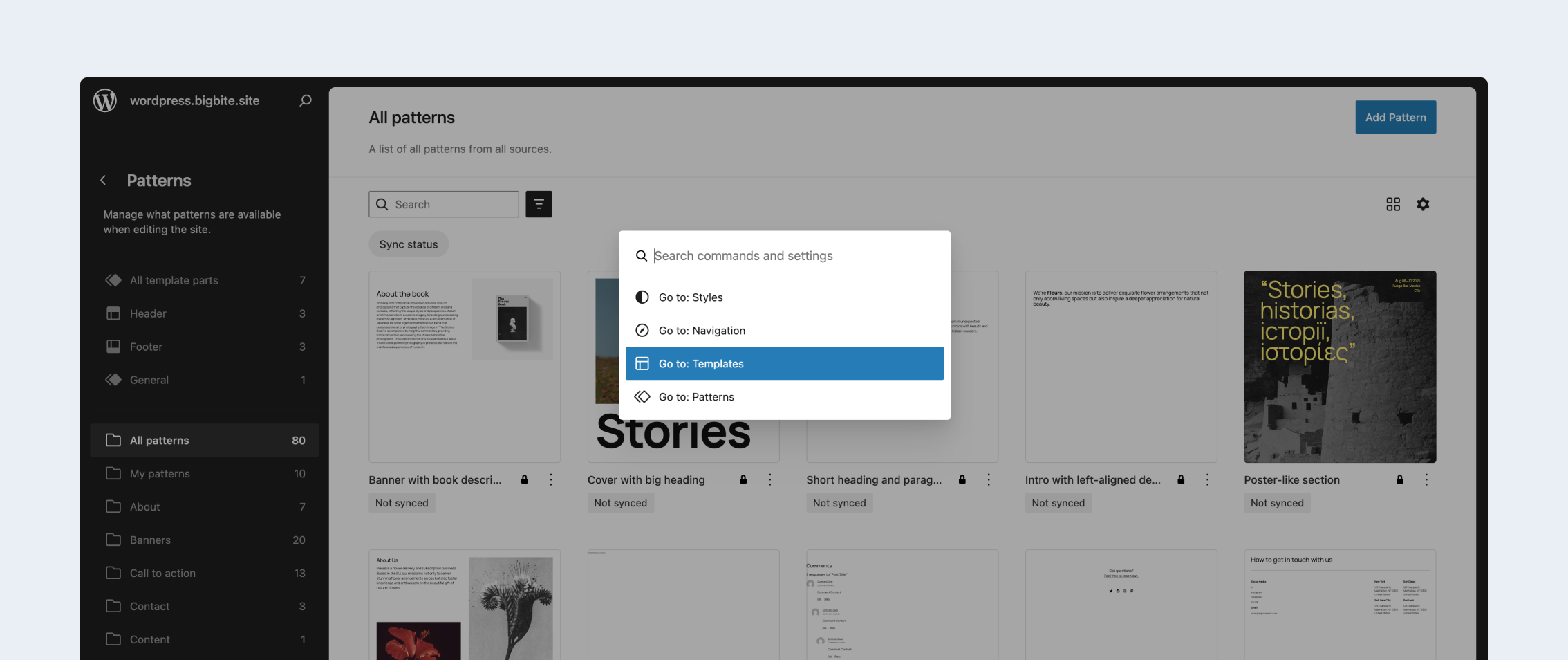
The Command Palette also becomes far more useful in this release. Previously limited to the Site Editor, it now works across the entire WordPress dashboard. Using keyboard shortcuts, users can jump to settings, open tools, run actions, and navigate between screens without hunting through menus.
What’s more, a new Hide Blocks on Frontend option adds flexibility for anyone preparing content or experimenting with layouts. Blocks can be kept visible in the editor but hidden from site visitors, making it easier to draft ideas, test designs, or leave internal notes without affecting the live page.
More power behind the scenes
The biggest changes aren’t only in the UI. WordPress 6.9 also introduces the highly anticipated Abilities API, a new framework that exposes what WordPress and its plugins can do in a consistent and machine-readable way. While this release doesn’t include native AI features, the foundation is hugely significant because it standardises how capabilities are registered, discovered and executed. This creates a more predictable environment for developers, supports smoother automation across plugins, and lays essential groundwork for future AI-driven tools within the ecosystem.
The Interactivity API also receives significant upgrades, enabling smoother page transitions and more advanced client-side navigation. The DataViews component sees improvements too with infinite scroll for large datasets, locked filters, and improved multi-selection, making it easier to work with complex interfaces. Additionally, the HTML API continues to mature with safer and more efficient parsing and manipulation utilities, and the Block Bindings API expands to support date blocks and image captions with a more flexible interface for connecting custom data sources.
A new Block Processor also makes its debut, providing a streaming approach to scanning and transforming block structures. This dramatically improves performance for high-volume content operations and helps prevent memory issues when handling large sets of blocks.
Lighter pages for smoother performance
Optimising key parts of the loading process, 6.9 introduces a handful of changes that make the platform quicker and more efficient. A new template output buffer improves how resources are handled, while block styles in classic themes now load on demand, which means sites won’t load CSS for unused blocks. The emoji detection script has been moved to the footer to reduce render-blocking, and cron jobs now run at shutdown rather than during page load, minimising the impact on server response times.
The release also raises standards for compatibility, with updated recommendations around supported PHP versions. This move helps WordPress take advantage of more modern language features while continuing to phase out older, less secure configurations.
Combined, these changes across editing, collaboration, development, and performance push the platform forward in ways that will matter day-to-day, while also strengthening the foundations for work already planned across future release cycles.
For a detailed rundown of what’s included in the release, check out the official WordPress 6.9 roadmap.